Cold Call Gatekeeper Scripts: Get Past the Blocker Every Time
Part of the Cold Calling guide: The Complete Cold Calling Guide for 2026: Master Every CallMaster cold call gatekeeper scripts that earn transfer, not rejection. Tactical lines, tonality tips, and role-play strategies SDRs use to reach decision-makers.
Key takeaways
- Gatekeepers transfer confidence, not pitches: The most effective cold call gatekeeper scripts are under 15 seconds, assume the transfer, and never apologize or over-explain.
- Honesty outperforms deception: Pretending to be a customer or lying about call intent damages trust and backfires; direct, respectful approaches earn more transfers.
- Tonality trumps script: A confident, warm vocal delivery—especially in the first three words—signals authority and makes gatekeepers more likely to comply with transfer requests.
- The "quick question" frame works: Positioning your ask as a brief, specific question ("I have a quick question for [Name] about [outcome]") lowers perceived friction and increases transfer rates.
- Practice gatekeepers separately: Most SDRs under-rehearse gatekeeper scenarios; deliberate role-play of 20+ gatekeeper interactions builds the muscle memory required to sound natural under pressure.
Every SDR knows the sinking feeling: you've dialed a high-value prospect, your opening line is polished, your research is sharp—and then a gatekeeper answers.
"Who's calling, and what's this regarding?"
In that moment, most reps stumble. They apologize, over-explain, or try to deliver their entire pitch to someone who has zero buying authority. The call dies before it ever reaches the decision-maker.
Gatekeepers—receptionists, executive assistants, office managers—are the most under-trained obstacle in cold calling. Yet Gartner research on B2B buying shows that in mid-market and enterprise accounts, 60–80% of cold calls are answered by someone other than your target contact. If you can't get past the gatekeeper, your pipeline stalls before it starts.
This guide gives you the exact cold call gatekeeper scripts, tonality tactics, and practice frameworks that consistently earn transfers. These aren't manipulative tricks—they're respectful, honest approaches that acknowledge the gatekeeper's role while confidently securing access to the decision-maker.
Let's break down what actually works.
Why most cold call gatekeeper scripts fail

Before we build a better script, let's diagnose the mistakes that get SDRs blocked.
Mistake 1: Apologizing or asking permission
"Hi, sorry to bother you—is there any chance I could maybe speak with Sarah?"
This signals low status and invites rejection. Gatekeepers are trained to protect their executive's time; if you sound unsure whether you deserve that time, they'll make the decision easy and say no.
Mistake 2: Delivering the full pitch to the gatekeeper
"We help companies like yours reduce churn by 40% using AI-driven customer success workflows, and I'd love to show Sarah how—"
The gatekeeper doesn't care. They have no budget authority, no pain to solve, and no incentive to listen. Pitching them wastes their time and yours, and it telegraphs that you don't understand how organizations work.
Mistake 3: Being vague or evasive
Gatekeeper: "What's this about?"
Rep: "Oh, it's… business-related. Just need a quick chat."
Vague answers trigger suspicion. The gatekeeper assumes you're hiding something (you probably are—a sales pitch), and they block you to avoid wasting their boss's time.
Mistake 4: Trying to trick the gatekeeper
"Hi, this is John—Sarah's expecting my call."
Or: "I'm following up on an email she sent."
Deceptive tactics might occasionally work, but they poison the well. When the gatekeeper discovers the lie (and they will), your company's reputation takes a hit, and future calls from your team get blocked by default. Forbes on gatekeeper strategy warns that trust, once broken with a gatekeeper, is nearly impossible to rebuild.
Mistake 5: Weak tonality
Even a perfect script fails if your cold call tonality signals nervousness or uncertainty. Gatekeepers are expert pattern-matchers; they hear dozens of sales calls per week. If your first three words sound hesitant, you're mentally filed as "low-priority sales call" and blocked.
The 4-part cold call gatekeeper script framework
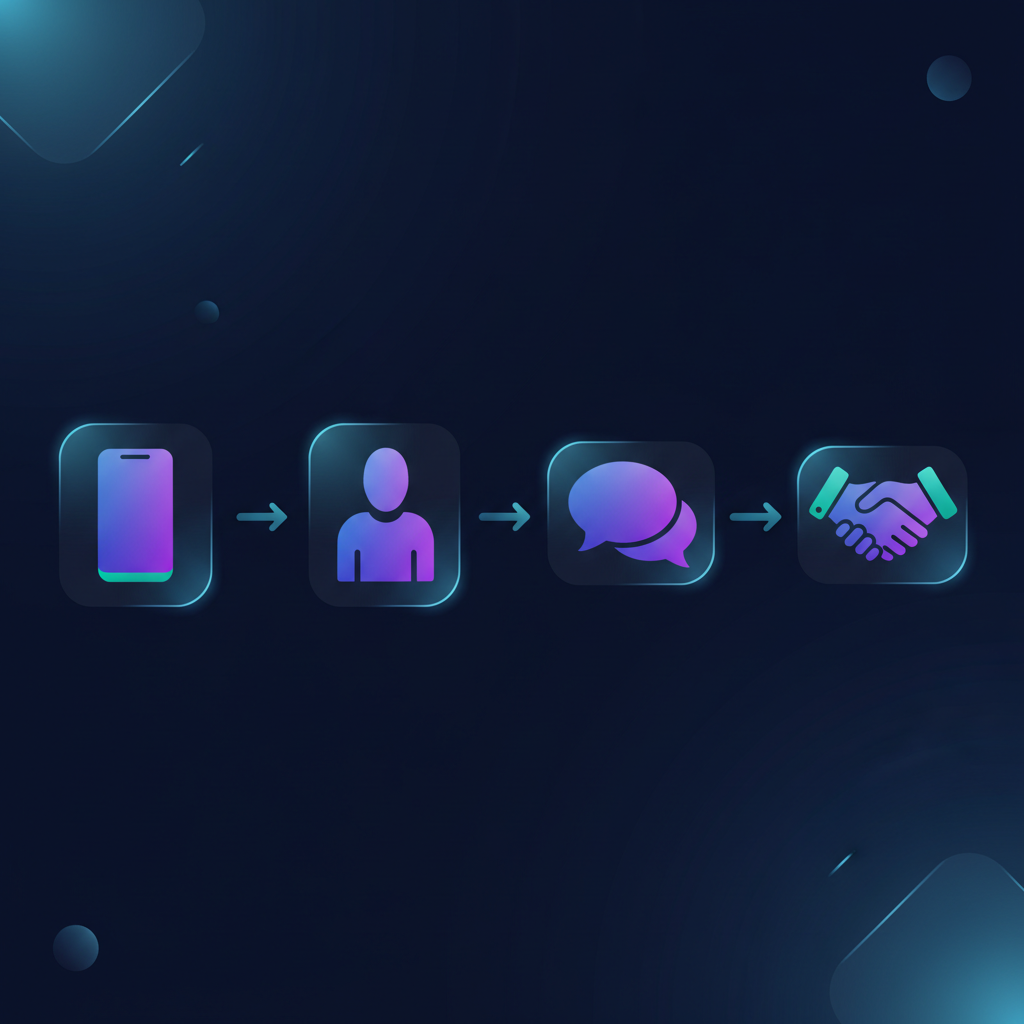
Here's the structure that works. Each part is intentionally brief—your goal is transfer, not conversation.
Part 1: The confident greeting (3 seconds)
Script:
"Hi, this is [Your First Name] from [Company]."
Why it works:
- No apology, no filler words.
- First name only sounds less "salesy" than full name + title.
- Company name establishes legitimacy without sounding corporate-stiff.
Tonality tip:
Your first word—"Hi"—sets the frame. Say it warmly and clearly, as if you're calling a colleague, not a stranger. Smile while you speak; it changes your vocal tone in ways the gatekeeper subconsciously registers as friendly and confident.
Part 2: The direct ask (2 seconds)
Script:
"Can you connect me with [Decision-Maker First Name]?"
Why it works:
- "Can you connect me" is a polite instruction, not a question begging permission.
- Using the decision-maker's first name (not "Mr. Smith" or "your VP of Sales") sounds familiar and assumes you belong in their world.
- No explanation yet—you're testing whether the gatekeeper will transfer without friction.
What happens next:
- Best case: They transfer you immediately.
- Common case: They ask, "What's this regarding?" or "Does [Name] know you?"
Part 3: The outcome-focused context (5–10 seconds)
When challenged, give just enough context to justify the transfer—but don't pitch.
Script A (if they ask what it's about):
"It's about [specific business outcome or process]—I have a quick question for [Name]."
Examples:
- "It's about how [Company] handles outbound lead qualification—I have a quick question for Sarah."
- "It's regarding [Company]'s sales onboarding process—just need two minutes with Mike."
Script B (if they ask, "Does [Name] know you?"):
"Not yet—this is my first time reaching out. It's about [outcome]. Who's the best person to talk to about that?"
Why it works:
- You're honest (no deception), but you frame the call around a business topic, not "I'm selling something."
- "Quick question" lowers perceived friction—it signals brevity.
- The outcome is specific enough to sound legitimate, vague enough to create curiosity.
What NOT to say:
- "It's personal." (It's not, and they know it.)
- "I'd rather explain it to [Name] directly." (Sounds evasive.)
- A 30-second pitch. (They'll tune out and block you.)
Part 4: The polite redirect (if needed)
If the gatekeeper insists you send an email or leave a voicemail, use this:
Script:
"Happy to—what's the best email? And just so I don't miss [Name], when's a good time to follow up with a call?"
Why it works:
- You comply with their request (respectful).
- You get the direct email (useful intel).
- You plant the seed for a follow-up call, signaling persistence without being pushy.
Then, send a short email referencing the gatekeeper by name:
Email subject: "Quick question—[specific outcome]"
Body:
"Hi [Decision-Maker],
I spoke with [Gatekeeper Name] earlier—wanted to ask you a quick question about [specific outcome or process].
[One-sentence value prop.]
Worth a 3-minute call this week?
[Your Name]"
This shows respect for the gatekeeper's role and increases your odds of a reply or successful follow-up call.
Advanced gatekeeper tactics that work
Tactic 1: Call outside business hours
Gatekeepers typically work 9–5. Decision-makers often arrive early or stay late. If you call at 7:45 AM or 5:45 PM, there's a higher chance the decision-maker picks up their own phone.
Our best time to cold call research shows early morning calls have a 23% higher connect rate with executives than mid-morning calls.
Tactic 2: Befriend the gatekeeper
If you're working a named account list and expect to call the same company multiple times, invest in the relationship.
Script (second or third call):
"Hi [Gatekeeper Name]—it's [Your Name] from [Company] again. Thanks for your help last time. Is [Decision-Maker] available for a quick call?"
Acknowledging them by name and thanking them builds rapport. Gatekeepers remember reps who treat them like humans, not obstacles.
Tactic 3: Use a referral (if you have one)
Script:
"Hi, this is [Your Name]—[Referral Name] suggested I reach out to [Decision-Maker] about [outcome]. Can you connect me?"
Referrals are social proof. Even if the referral is tangential (a LinkedIn connection, a former colleague), it dramatically increases transfer rates.
Tactic 4: The "callback" frame
If you've left a voicemail or sent an email, you can say:
Script:
"Hi, this is [Your Name]—I'm following up on a message I left for [Decision-Maker]. Can you connect me?"
This implies an existing thread, which gatekeepers are more likely to honor.
What to avoid: Gatekeeper red flags
These phrases and behaviors will get you blocked:
- "Is [Name] available?" Sounds like you're checking if they're in the office, which invites "They're in a meeting."
- "I'm just calling to introduce myself." No urgency, no reason to transfer.
- "Can I speak to whoever handles [department]?" Signals you haven't done your research.
- Overly formal tone. "Good morning, this is Jonathan Alexander from Acme Corporation calling to speak with Ms. Sarah Thompson regarding a business matter of significant importance." You sound like a robot.
- Rambling. If your gatekeeper script takes more than 15 seconds, you've lost.
How to practice cold call gatekeeper scripts
Most SDRs practice their pitch to decision-makers but barely rehearse the gatekeeper interaction. This is backwards: the gatekeeper is the first test, and if you fail it, your brilliant pitch never gets heard.
Practice method 1: Role-play with a manager or peer
Have a colleague play a skeptical gatekeeper. Run through 10 scenarios:
- Gatekeeper asks what it's about.
- Gatekeeper says, "Send an email."
- Gatekeeper asks, "Does [Name] know you?"
- Gatekeeper says, "[Name] doesn't take unsolicited calls."
- Gatekeeper is friendly and transfers immediately.
Record each scenario. Listen for filler words ("um," "uh"), apologies, and weak tonality. Tighten your script until it's under 15 seconds and sounds natural.
Practice method 2: AI role-play
Platforms like QUOTA's AI-powered role-play let you simulate gatekeeper interactions at scale. You can practice 20, 50, or 100 gatekeeper scenarios in a single session, with instant feedback on tonality, pacing, and script adherence.
This builds muscle memory. When a real gatekeeper challenges you, your response is automatic—you don't freeze or fumble.
Reps who complete 30+ gatekeeper role-plays report feeling significantly more confident on live calls, and their transfer rates improve by an average of 18% within two weeks.
Practice method 3: Shadow top performers
Listen to call recordings of your team's best SDRs. How do they handle gatekeepers? What exact phrases do they use? How does their tonality shift between the gatekeeper and the decision-maker?
Steal what works. Cold calling is not the place for reinventing the wheel.
Integrating gatekeeper scripts into your cold calling process
Your gatekeeper script doesn't exist in isolation—it's part of your broader cold calling system. Here's how to integrate it:
- Pre-call research: Know the gatekeeper's name if possible (LinkedIn, company directory). Personalization increases transfer rates.
- Timing: Use the best time to cold call windows to maximize the chance the decision-maker answers directly.
- Tonality warm-up: Before your first call block, do a 2-minute vocal warm-up (our complete cold calling guide covers this). Your voice is your instrument; warm it up.
- Post-gatekeeper transition: If you get transferred, take a 2-second breath and reset your energy. Don't carry gatekeeper stress into the decision-maker conversation.
- Track and iterate: Log every gatekeeper interaction. Which scripts earned transfers? Which got blocked? Refine based on data, not gut feel.
Handling common gatekeeper objections
Even with a strong script, you'll face objections. Here's how to handle the most common ones.
Objection 1: "What's this regarding?"
Response:
"It's about [specific outcome]—I have a quick question for [Name]."
(Covered above in Part 3.)
Objection 2: "Send an email."
Response:
"Happy to—what's the best email? And when's a good time to follow up with a call?"
Objection 3: "[Name] doesn't take unsolicited calls."
Response:
"Totally understand—who's the best person to speak with about [specific outcome or process]?"
This redirects to an alternative contact while respecting the boundary.
Objection 4: "[Name] is in a meeting."
Response:
"No problem—when's a better time to reach them?"
Or, if you want to be bolder:
Response:
"Got it—can I leave a quick message with you, or should I try back this afternoon?"
This keeps you in control and signals you'll persist.
For deeper objection-handling tactics, see our guide on handling the 'no time' objection, which overlaps with gatekeeper resistance.
Tonality and delivery: The hidden variable
Your script is only 40% of the equation. The other 60% is how you say it.
In our AI role-play sessions, we analyze thousands of gatekeeper interactions. The single biggest differentiator between reps who get transferred and those who get blocked? Vocal confidence in the first three words.
Specifically:
- Pitch: Mid-range, not too high (signals nervousness) or too low (sounds robotic).
- Pace: Slightly slower than normal conversation—this conveys authority.
- Energy: Warm and upbeat, but not manic. Think "friendly colleague," not "desperate salesperson."
- Pause: After stating your name and company, pause for half a second. This gives the gatekeeper time to process and signals you're not rushing.
If you're struggling with tonality, invest time in our cold call tonality deep dive. Tonality is a skill, and like any skill, it improves with deliberate practice.
Why gatekeepers matter more than you think
Gatekeepers aren't just obstacles—they're intelligence sources.
A friendly gatekeeper can tell you:
- Whether the decision-maker is in the office or traveling.
- The best time to call back.
- Who else is involved in buying decisions.
- Whether your competitor is already in the account.
Treat them with respect, and they become allies. Treat them as obstacles, and they'll block you every time.
One of our most successful SDRs at QUOTA keeps a spreadsheet of gatekeeper names and notes. When he calls back, he greets them by name and asks how their day is going. His transfer rate is 34% higher than the team average—not because his pitch is better, but because he's built rapport with the people who control access.
The role of AI and automation in gatekeeper training
Traditional sales training covers gatekeeper handling in a single slide during onboarding, then never revisits it. That's not enough.
AI role-play platforms let reps practice gatekeeper scenarios on-demand, with infinite patience and zero judgment. You can test different scripts, experiment with tonality, and get real-time feedback on what's working.
At QUOTA, we've built gatekeeper scenarios into every cold-calling simulation. Reps face a range of personalities—friendly, skeptical, rushed, protective—so they're prepared for anything. This is how you build confidence: not by reading a script, but by living the interaction dozens of times before it matters.
If your team struggles with gatekeeper transfer rates, the fastest fix is deliberate practice. Our AI-powered role-play platform makes it scalable.
Measuring gatekeeper success
Track these metrics to know if your gatekeeper strategy is working:
- Transfer rate: (Calls transferred to decision-maker) ÷ (Calls answered by gatekeeper). Aim for 30–40%.
- Gatekeeper objection rate: How often are you getting blocked vs. transferred? If you're above 70% blocked, your script or tonality needs work.
- Time to transfer: How long does the gatekeeper interaction last? Under 20 seconds is ideal.
- Decision-maker connect rate: Of the calls transferred, how many result in a conversation? This tells you if the gatekeeper is transferring you to voicemail or a live person.
Run a weekly audit of 5–10 gatekeeper calls per rep. Identify patterns, coach on weak spots, and celebrate wins.
FAQ
What is a gatekeeper in cold calling?
A gatekeeper in cold calling is anyone—typically a receptionist, executive assistant, or office manager—who screens incoming calls and decides whether to transfer you to the decision-maker. Their job is to protect their executive's time, which means most cold callers get blocked before ever reaching their target contact.
Should you be honest with gatekeepers or try to trick them?
Always be honest. Deceptive tactics (pretending to be a customer, lying about the purpose of your call) damage trust, harm your brand, and often backfire when the gatekeeper discovers the truth. Respectful, direct approaches that acknowledge the gatekeeper's role consistently outperform manipulation.
What's the best cold call gatekeeper script for SDRs?
The most effective script is brief, confident, and assumes the transfer: "Hi, this is [Your Name] from [Company]—can you connect me with [Decision-Maker Name]?" If challenged, add context without over-explaining: "It's regarding [specific business outcome]. Who's the best person to speak with about that?" Avoid sounding apologetic or asking permission.
How do you handle a gatekeeper who asks what the call is about?
Give a concise, outcome-focused answer that piques curiosity without revealing everything: "It's about how [Prospect Company] handles [specific process]—I have a quick question for [Name]." Never deliver your full pitch to the gatekeeper; your goal is transfer, not conversion at this stage.
Can AI role-play help SDRs practice gatekeeper scenarios?
Yes. AI role-play platforms let reps rehearse dozens of gatekeeper interactions in a safe environment, testing different scripts, tonality, and recovery lines. This builds muscle memory and confidence so reps sound natural and assertive when a real gatekeeper answers.
Final takeaway
Gatekeepers are not the enemy. They're doing their job—and if you respect that job while confidently asserting your right to reach the decision-maker, you'll get transferred far more often than you get blocked.
The reps who consistently get past gatekeepers share three traits:
- They use a tight, confident script (under 15 seconds).
- They practice gatekeeper scenarios deliberately, not just once during onboarding.
- They treat gatekeepers like humans, not obstacles.
Master these three, and your cold calling pipeline will never be gatekeeper-dependent again.
If your team is struggling with gatekeeper transfer rates or simply wants to build confidence before live calls, explore how QUOTA's AI role-play platform can deliver scalable, realistic practice that actually sticks. Because the best way to get past the gatekeeper? Practice until it's second nature.
For more cold calling tactics, frameworks, and scripts, dive into our complete cold calling guide—and if call anxiety is holding your reps back, start with overcoming call reluctance to build the foundation for fearless outreach.

Stefano Breglia
Co-founder, QUOTA Training
Stefano Breglia is co-founder of QUOTA Training. He focuses on sales methodology, deal progression and how AI simulation accelerates rep ramp time across the SDR, BDR, AE and AM roles.
Turn this into reps, not just reading
QUOTA Training lets your team practise these exact scenarios with an AI buyer that reacts like the real thing — then scores every call.
See it in action