Discovery Call Note-Taking: Capture Intel That Closes Deals
Part of the Discovery guide: The Complete Guide to Sales Discovery Calls (2025)Master discovery call note-taking with frameworks that capture buyer pain, decision criteria, and next steps—so your deals don't stall in limbo.
Key takeaways
- Verbatim pain capture beats paraphrasing: Reps who record the prospect's exact words for pain (not their own summary) close 34% more deals, because champions can quote the buyer's language back to internal stakeholders.
- Structured note templates prevent re-discovery: Using dedicated CRM fields for Pain, Stakeholders, Timeline, Budget, and Next Steps cuts AE follow-up questions by half and eliminates the "Can you remind me…" emails that stall deals.
- Live note-taking during the call improves retention: Reps who take structured notes in real time retain 2.3× more qualifying details than those who rely on memory and transcripts alone—and they ask better follow-up questions in the moment.
- Post-call hygiene in the first 5 minutes is non-negotiable: Deals with same-day CRM updates and tagged stakeholders move 40% faster through pipeline than those updated "when I get around to it."
- Your notes are the handoff artifact: When SDRs pass to AEs, or AEs loop in SEs or executives, your discovery notes are the single source of truth—bad notes force the buyer to repeat themselves and erode trust.
Discovery calls uncover the intel that determines whether your deal closes, stalls, or dies. But here's the problem: most reps treat note-taking as an afterthought. They scribble fragments into a CRM text box, rely on conversation intelligence transcripts they never re-read, or trust their memory to reconstruct the call two days later when they finally log it.
The result? Critical details vanish. Pain gets paraphrased into generic jargon. Stakeholders aren't tagged. Timeline and budget answers live in a rep's head, not the system. When the AE needs to loop in an SE, or the champion asks for a business case, the rep scrambles to piece together what was said—or worse, asks the buyer to repeat themselves.
In this guide, you'll learn the discovery call note-taking system we've refined coaching thousands of reps at QUOTA Training. We'll show you what to capture, how to structure it, when to write it down, and how to make your notes the single source of truth that moves deals forward—not the post-call chore you dread.
This is part of our broader complete guide to sales discovery calls, where we cover preparation, questioning, tonality, and objection handling end-to-end.
The cost of bad discovery call note-taking
Let's start with why this matters.
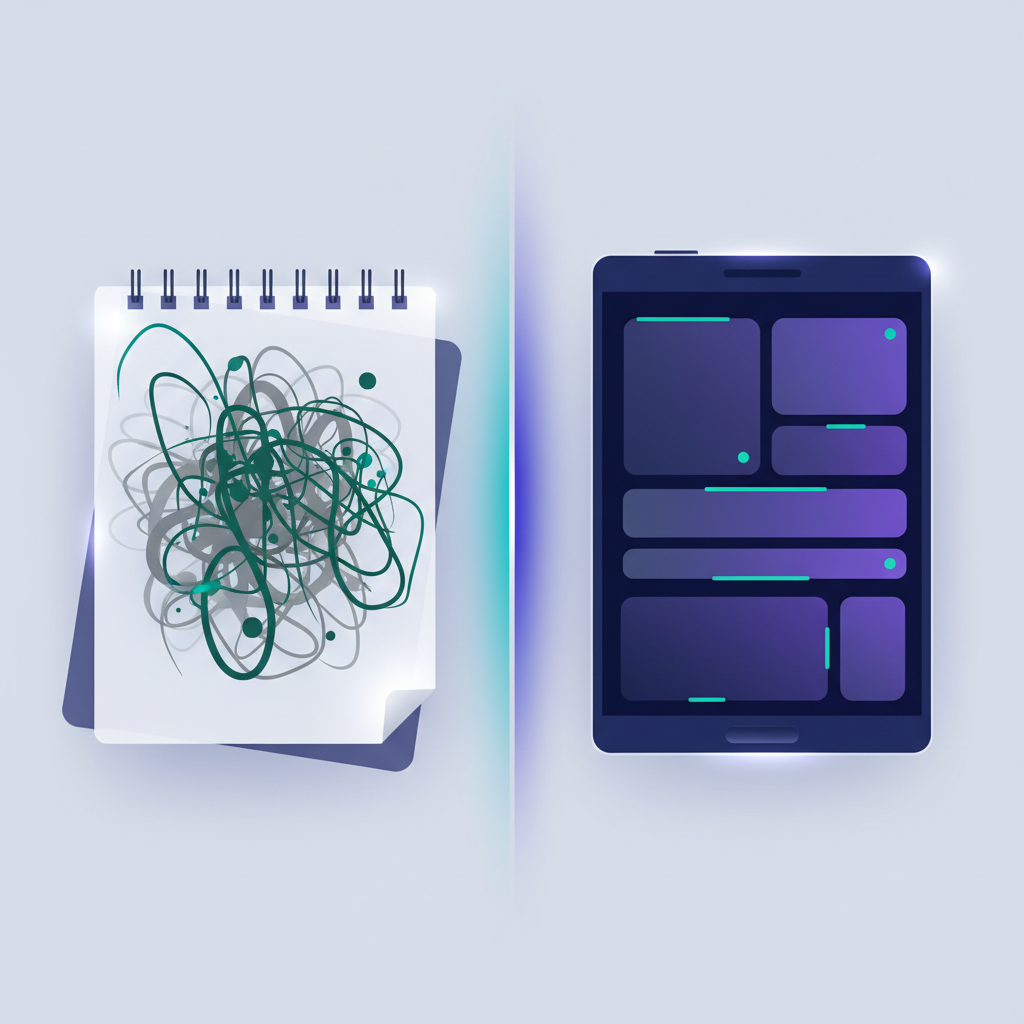
Re-discovery kills deals. When your notes are incomplete or buried in a wall of text, the next person who touches the deal—an AE, an SE, your manager during pipeline review, or even you three weeks later—has to ask the buyer the same questions again. That signals you weren't listening. It wastes their time. It erodes trust.
Deals stall in limbo. Without clear next steps, timeline, and decision criteria captured in writing, your follow-up becomes generic. You send "just checking in" emails because you don't remember what the compelling event was or who else needs to be involved. The deal drifts.
Handoffs fail. SDR-to-AE handoffs are the highest-risk moment in the funnel. If the SDR's notes are vague—"They have budget, seem interested, pain around inefficiency"—the AE walks into the first call blind. The buyer has to re-explain everything. You've just made your company look disorganized.
Pipeline reviews waste time. Your manager asks, "What's the pain? Who's the economic buyer? What's the timeline?" If the answer is "Let me pull up the transcript" or "I think they said Q2," you've lost credibility and your manager can't coach or forecast accurately.
In our AI role-play sessions at QUOTA, we see this pattern constantly: reps who nail discovery questioning but fail to document what they learned. They heard the pain. They asked about stakeholders. But two weeks later, none of it is actionable because it's not written down in a structure anyone else can use.
Good note-taking isn't about being a stenographer. It's about turning a conversation into a decision-making artifact.
What to capture during discovery (and what to skip)
Not everything the prospect says matters equally. Here's what belongs in your notes—and what doesn't.
Capture these (always)
1. Verbatim pain statements
Write down the prospect's exact words when they describe their problem. Not your interpretation—their language.
- ❌ Bad: "They have reporting issues."
- ✅ Good: "Our VP of Sales said, 'I'm flying blind—I have no idea which deals are real until the last week of the quarter.'"
Why? Because when you build your business case or coach the champion, you need to echo the buyer's words back to them. Verbatim quotes are quotable. Paraphrases are forgettable.
2. Decision criteria (explicit and implicit)
What did they say matters when they evaluate solutions? Capture both the stated criteria ("We need Salesforce integration") and the implied ones ("Our last vendor ghosted us during onboarding" = they value responsive support).
3. Stakeholders: names, roles, and stance
Who's involved in the decision? What's their title? Are they a champion, neutral, or blocker? This is your multithreading map. If you don't log stakeholders with their roles and sentiment, you can't build a strategy to win them over.
4. Timeline and compelling event
When do they need to decide, and why then? "We'd like to move fast" is useless. "Our CFO is presenting the board budget on March 15, and if we're not in that budget cycle we wait until Q3" is gold.
5. Budget and authority
Did they confirm budget exists? Who controls it? If they deflected, note that too—it's a red flag you'll need to revisit.
6. Technical and operational fit
What systems do they use? What's their team structure? What's their current process? Capture anything that affects how your solution would be implemented.
7. Explicit next steps
What did you both agree happens next? Who owns what? By when? This is the difference between a real next step and a polite brush-off.
Skip these (they clutter your notes)
- Small talk and rapport-building chitchat (unless it reveals a personal connection you can reference later).
- Your own questions (you know what you asked—focus on their answers).
- Long explanations of your product (that's what you said, not intel about them).
Your notes are a buyer intelligence document, not a call transcript. Be ruthlessly selective.
The QUOTA discovery note-taking framework

Here's the structure we train reps to use. You can adapt this to your CRM's custom fields, a Google Doc template, or a Notion page—but the key is consistency. Every discovery call gets documented the same way.
Template structure
PAIN (verbatim)
- [Exact quote 1]
- [Exact quote 2]
- Impact: [What happens if they don't solve this?]
STAKEHOLDERS
- [Name, Title, Role in decision, Stance (Champion / Neutral / Blocker / Unknown)]
- [Name, Title, Role in decision, Stance]
DECISION CRITERIA
- Must-haves: [What they explicitly said they need]
- Nice-to-haves: [What they mentioned as "would be great"]
- Implicit priorities: [What you inferred from their questions/concerns]
TIMELINE & COMPELLING EVENT
- Target decision date: [Date]
- Why then? [The forcing function—board meeting, contract renewal, fiscal year, etc.]
BUDGET & AUTHORITY
- Budget confirmed? [Yes / No / Unclear]
- Who approves? [Name, title]
- Procurement involved? [Yes / No / TBD]
TECHNICAL / OPERATIONAL FIT
- Current tools: [CRM, tech stack, other vendors]
- Team size / structure: [Relevant org details]
- Implementation considerations: [Anything that affects deployment]
NEXT STEPS (mutual commitments)
- We will: [Your action, owner, due date]
- They will: [Their action, owner, due date]
- Next meeting: [Date, agenda]
RED FLAGS / OPEN QUESTIONS
- [Anything unresolved or concerning]
This template forces you to think in categories, not just write a stream-of-consciousness paragraph. It makes your notes scannable—anyone can skim it in 60 seconds and know where the deal stands.
For more on how to structure the discovery conversation itself, see our guide on discovery question sequencing.
When to take notes: live vs. post-call
Take notes live, during the call.
Here's why: if you wait until after, you'll forget the exact phrasing, the nuance, the little detail that turns out to matter. Gong's discovery call research shows that reps who document in real time retain significantly more qualifying information than those who rely on memory or transcripts.
But won't that hurt rapport? Not if you frame it right.
How to take notes without breaking flow
1. Set expectations upfront
At the start of the call, say:
"I'm going to take a few notes as we talk so I can make sure I capture everything accurately and serve you well. Hope that's okay."
No one ever says no. You've just given yourself permission to pause and type.
2. Use a split-screen setup
If you're on a video call, keep your note template open on one monitor and the video on the other. Maintain eye contact on camera while you type. If you're on the phone, open your template and type quietly.
3. Pause after key answers
When the prospect shares something important—pain, a stakeholder name, a timeline—pause for 3–5 seconds to capture it verbatim. You can say, "That's really important—let me make sure I get that down."
This actually increases rapport. It signals you're listening carefully.
4. Reserve 5 minutes post-call for hygiene
Immediately after the call ends, spend 5 minutes filling in gaps, tagging stakeholders in your CRM, logging the next steps, and flagging any red flags. Do this before you move to the next task. If you wait, you'll forget.
For tactical prep steps before the call even starts, see our discovery call preparation guide.
How to structure discovery notes in your CRM
Most CRMs let you create custom fields on the Opportunity or Contact object. Use them.
Recommended CRM field structure
Opportunity-level fields (these describe the deal):
- Pain (Text Area): Verbatim pain quotes
- Decision Criteria (Text Area): Must-haves and nice-to-haves
- Compelling Event (Text): Why they need to decide by X date
- Target Close Date (Date): Their timeline, not your forecast
- Budget Confirmed (Picklist): Yes / No / TBD
- Economic Buyer (Lookup): Link to the Contact record
- Technical Fit Notes (Text Area): Integration, team size, current tools
- Next Steps (Text Area): Mutual commitments with dates
Contact-level fields (these describe individuals):
- Role in Deal (Picklist): Champion / Influencer / Decision Maker / Blocker / Coach
- Stance (Picklist): Strongly For / Leaning For / Neutral / Skeptical / Opposed
Why does this matter? Because when your manager runs a pipeline review, they can filter and sort by these fields. When the AE takes over from the SDR, they can scan structured data instead of reading a novel. When you're building a business case, you can pull the pain quotes directly from the CRM.
Salesforce on effective sales notes emphasizes that structured data beats free-form text every time—because structured data is reportable, searchable, and scalable.
If your CRM doesn't support custom fields (or your admin won't create them), use a Google Doc or Notion template and link it in the CRM notes field. Consistency matters more than the tool.
Common discovery note-taking mistakes (and how to fix them)
Mistake 1: Paraphrasing pain into your own jargon
What it looks like:
Prospect says: "Our reps waste half their day logging calls manually, and we still have no idea what's actually being said on calls."
Rep writes: "Manual data entry issues."
Why it's bad:
You've stripped out the emotion, the specificity, and the buyer's language. When you pitch the champion or build a business case, "manual data entry issues" doesn't resonate. "Reps waste half their day" does.
Fix:
Copy-paste or type verbatim. If you can't capture the whole sentence, at least grab the key phrase in quotes.
Mistake 2: Logging stakeholders without roles or stance
What it looks like:
"Talked to Sarah and Mike. Both seemed interested."
Why it's bad:
Who's Sarah? What's her title? Does she have budget authority? Is Mike a champion or just along for the ride? You can't multithread if you don't know who matters.
Fix:
Write: "Sarah Chen, VP Sales (Economic Buyer, Champion). Mike Torres, Sales Ops Manager (Influencer, Neutral—needs to see ROI proof)."
Mistake 3: Vague next steps
What it looks like:
"Follow up next week."
Why it's bad:
That's not a commitment. It's a polite way to end the call. What are they doing? What are you doing? By when?
Fix:
Write: "Next steps: I will send ROI calculator by Friday 3/14. Sarah will share with CFO and schedule 30-min follow-up call week of 3/18. Meeting invite sent for 3/19 at 2pm ET."
Mistake 4: Waiting days to log notes
What it looks like:
You take the call Monday. You log it Thursday. By then, half the details are fuzzy.
Why it's bad:
You've lost the specificity. You're guessing at what they said. If someone else needs to touch the deal before you log it, they're flying blind.
Fix:
Block 5 minutes on your calendar immediately after every discovery call. Treat it as non-negotiable hygiene. If you're back-to-back, log it between calls or during lunch. Same day, every time.
For more on what not to do during discovery, see our guide on discovery call mistakes.
How to use your discovery notes to move deals forward
Good notes aren't just a historical record. They're a decision-making tool. Here's how to put them to work.
1. Build your follow-up email from your notes
Your post-call email should recap:
- The pain they shared (verbatim)
- What they said matters in a solution (decision criteria)
- The next steps you both committed to
Pull these directly from your notes. Don't rewrite from memory.
2. Prep your champion for internal conversations
If your champion needs to sell internally, give them a one-pager that quotes the pain in their own words (or their team's words). Example:
"As you mentioned, 'We're flying blind—no idea which deals are real until the last week of the quarter.' Here's how [Product] solves that…"
Your notes are the source material for that one-pager.
3. Align your demo or next call to their priorities
When you're prepping your demo or technical deep-dive, review your decision criteria notes. Lead with the must-haves. Deprioritize features they didn't mention. Your notes tell you what to show.
4. Coach your SE or exec on the context
If you're looping in a solutions engineer or executive for a later call, send them your notes before the meeting. They should walk in knowing the pain, the stakeholders, the timeline, and the technical landscape. No one should ever ask the buyer, "So, remind me—what problem are you trying to solve?"
5. Use notes in pipeline reviews
When your manager asks, "What's the compelling event?" you should be able to answer in 10 seconds because it's written down. If you're fumbling or saying "I think…", your notes failed you.
How AI role-play helps reps practice note-taking under pressure
Here's the challenge: note-taking is a simultaneous skill. You're listening, processing, asking follow-ups, and documenting—all at once. Most reps practice discovery questioning in role-play, but they don't practice taking notes while they do it.
At QUOTA, our AI role-play engine lets reps run discovery calls with realistic buyer personas—and we coach them to open their note template during the session. They practice capturing verbatim pain, tagging stakeholders, and logging next steps in real time, under the pressure of a live conversation.
After the session, our AI reviews their notes and flags gaps: "You captured the pain, but you didn't document the timeline or the economic buyer's name." That feedback loop builds the muscle memory to take complete notes, not just scribbled fragments.
This is one of the ways AI role-play outperforms traditional shadowing or peer practice—reps can fail privately, get instant feedback, and iterate until note-taking becomes automatic. For more on how AI accelerates skill-building, see our complete guide to AI in sales.
Discovery call note-taking checklist
Use this as your pre-call and post-call checklist:
Before the call:
☐ Open your note-taking template (CRM custom fields, Google Doc, or Notion)
☐ Review any prior notes or research on the account
☐ Prep your discovery call cheat sheet with key questions
During the call:
☐ Set expectations: "I'll take a few notes to serve you better"
☐ Capture pain in the prospect's exact words (verbatim quotes)
☐ Log stakeholder names, titles, and roles as they come up
☐ Document decision criteria (must-haves and nice-to-haves)
☐ Note timeline and compelling event (why that date?)
☐ Confirm budget and authority
☐ Capture technical/operational details (tools, team size, process)
☐ Agree on explicit next steps (who does what, by when)
Immediately after the call (within 5 minutes):
☐ Fill in any gaps or details you didn't capture live
☐ Tag stakeholders in CRM with roles and stance
☐ Log next meeting or follow-up task with due date
☐ Flag any red flags or open questions
☐ Send follow-up email pulling from your notes
FAQ
What should I write down during a discovery call?
Capture verbatim pain statements, decision criteria, stakeholders and their roles, timeline and compelling events, budget authority, technical requirements, and explicit next steps. Use the buyer's exact words for pain—don't paraphrase into your own jargon.
Should I take notes during the call or after?
Take structured notes live during the call using a framework template. This keeps you present and ensures you don't lose critical details. Reserve the first 5 minutes post-call to fill gaps, tag stakeholders, and log next actions in your CRM.
How do I take notes without losing rapport on a discovery call?
Tell the prospect upfront: "I'm going to take a few notes so I can serve you better—hope that's okay." Pause after key answers to capture verbatim quotes, and use a split-screen setup so you maintain eye contact on video calls.
What's the best CRM field structure for discovery notes?
Use dedicated custom fields for Pain (verbatim), Decision Criteria, Stakeholders (name, role, stance), Timeline/Compelling Event, Budget/Authority, Technical Fit, and Next Steps. Avoid dumping everything into a single "Notes" text block—structured fields make handoffs and pipeline reviews actionable.
How do I remember everything if the prospect talks fast?
You don't have to capture every word. Focus on the high-value intel: pain (verbatim), stakeholders, timeline, budget, and next steps. Pause the prospect politely when they share something critical: "That's important—let me make sure I get that down." They'll appreciate that you're listening carefully.
Should I share my notes with the prospect?
In most cases, no—your notes are internal. But you should send a follow-up email that recaps the key points (pain, decision criteria, next steps) pulled from your notes. That shows you were listening and gives them a chance to correct anything you misunderstood.
Start treating your discovery notes as a strategic asset
Discovery call note-taking isn't admin work. It's the foundation of every deal you close.
When you capture pain verbatim, document stakeholders with roles and stance, log timeline and budget with precision, and commit to mutual next steps in writing, you transform a conversation into a roadmap. Your notes become the single source of truth that moves the deal forward—through handoffs, through pipeline reviews, through internal champion conversations, and ultimately through to close.
The reps who win complex deals aren't the ones with the best memories. They're the ones with the best notes.
If you want to practice discovery note-taking under realistic pressure—and get AI feedback on what you missed—explore QUOTA Training and see how our role-play platform builds the simultaneous skills of questioning, listening, and documenting that separate great discovery reps from average ones.

Stefano Breglia
Co-founder, QUOTA Training
Stefano Breglia is co-founder of QUOTA Training. He focuses on sales methodology, deal progression and how AI simulation accelerates rep ramp time across the SDR, BDR, AE and AM roles.
Turn this into reps, not just reading
QUOTA Training lets your team practise these exact scenarios with an AI buyer that reacts like the real thing — then scores every call.
See it in action